UniFi Network 10.2: Every New Feature Explained


UniFi Network 10.2 has just dropped as a release candidate, and this one is worth paying attention to. Ubiquiti has focused this update squarely on operational visibility, network resilience, and making day-to-day management smarter — not just adding features for the sake of it.
Having tested it hands-on, here is a breakdown of every major feature, what it actually does in practice, and which of them matter most for business deployments.
Time Machine for Switches
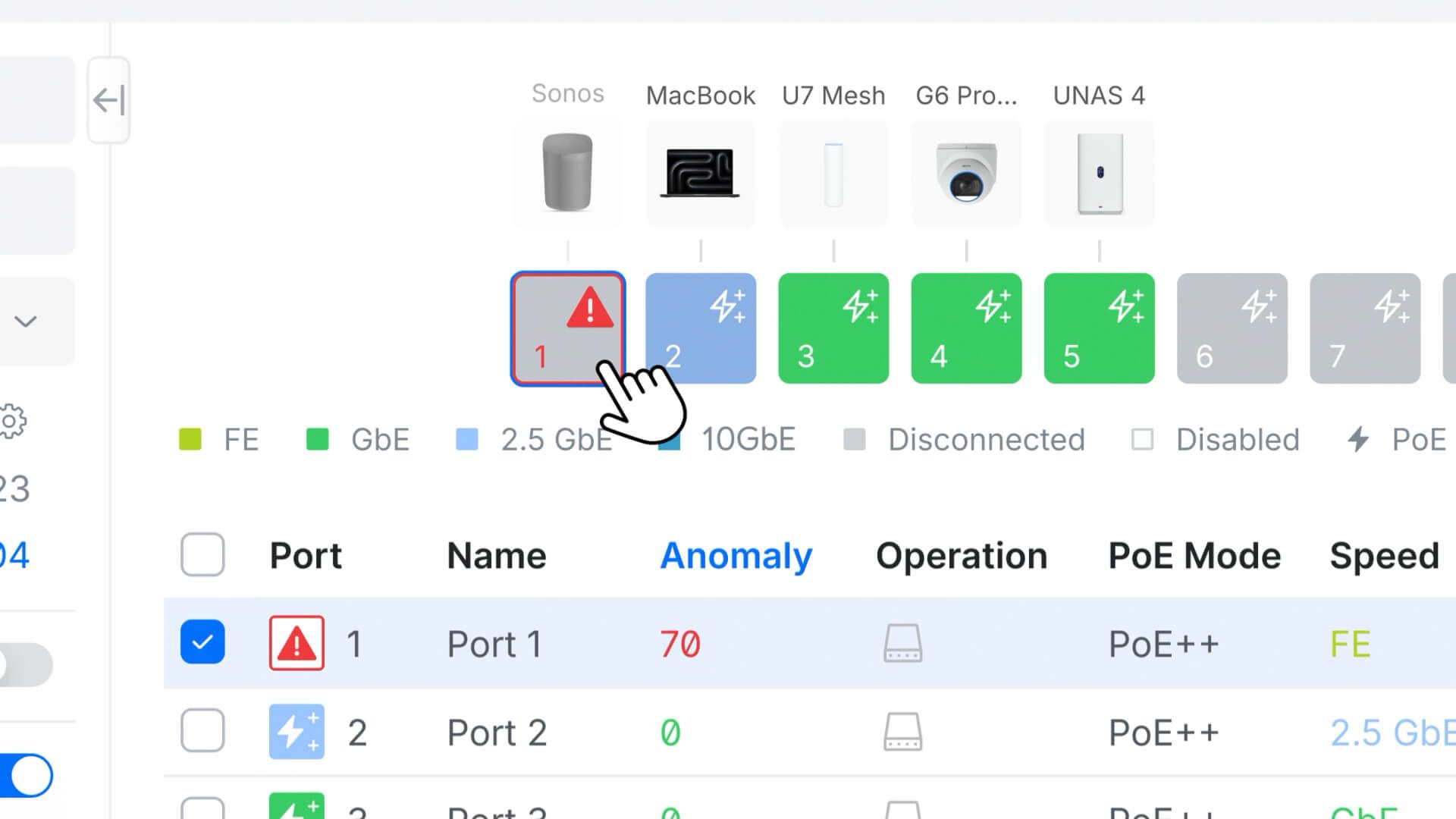
This is the headline feature of 10.2 and it genuinely changes how you approach troubleshooting. Time Machine gives you a 24-hour visual history of every port on every switch in your network — displayed as a scrollable timeline, borrowing the same design pattern that already works well in UniFi Protect.
To use it, go to Devices, select any switch, open the Port Manager, and you will see the Time Machine panel on the left. Scroll back through the timeline and you can see exactly when ports went up or down, when devices connected and disconnected, and when network events occurred — with timestamp-level precision.
In practice this is incredibly useful for those intermittent issues that are impossible to catch in real time. A device dropping connection at 3am? A port cycling during a busy period? Previously you would be parsing syslog files and guessing. Now you scroll back and it is right there.
One limitation worth noting: VLAN changes do not currently appear on the timeline. That would make it even more powerful and is hopefully something Ubiquiti adds in a future release.
Infrastructure Topology & Digital Twin
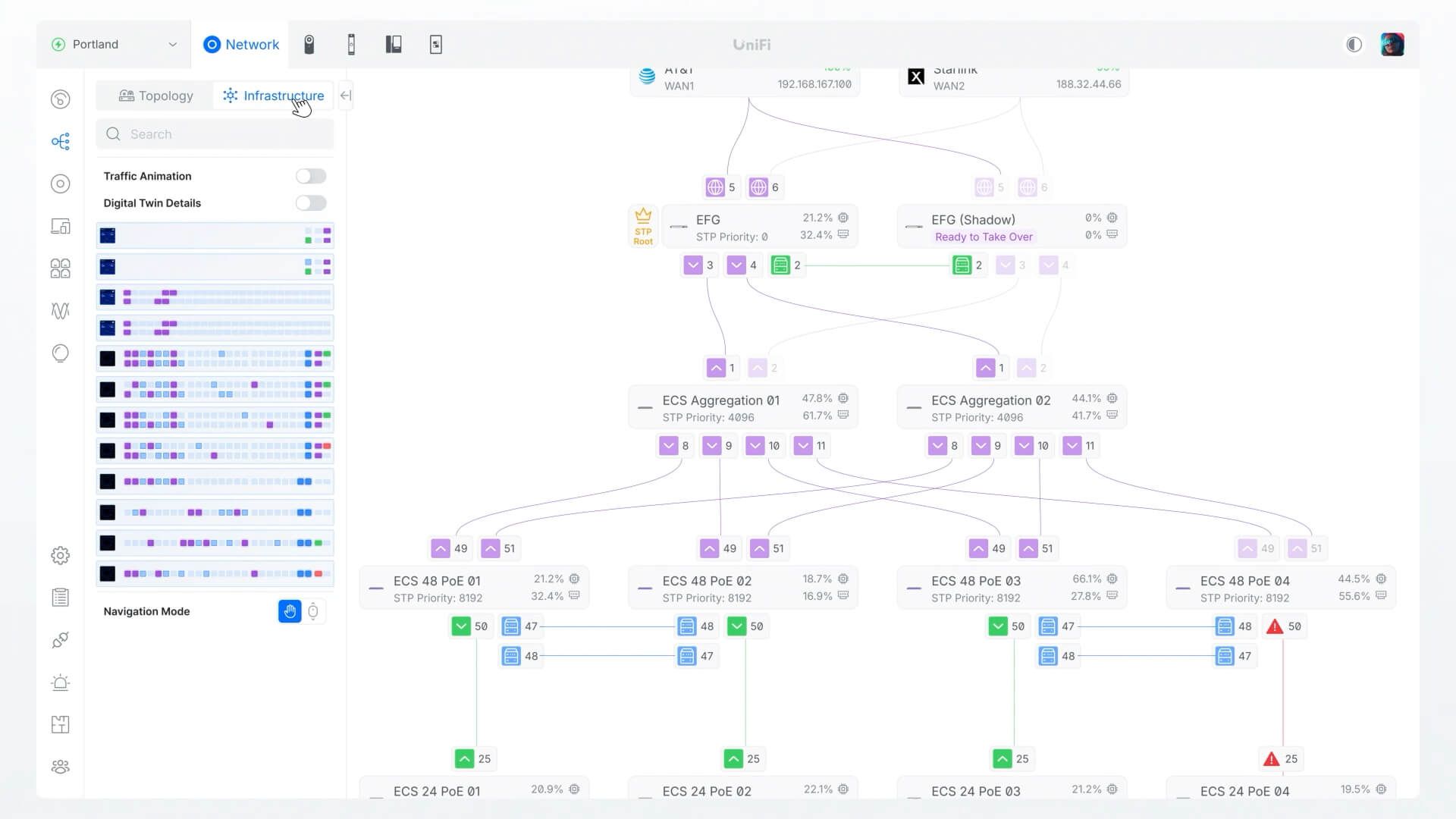
The Topology view already existed, but 10.2 adds a new Infrastructure tab alongside it that works quite differently. Rather than showing a logical overview of all your traffic, the Infrastructure view focuses on your physical rack environment — WAN connections, gateway, aggregation switches, and downstream devices — and builds a digital twin of how they are actually interconnected.
You can click on any link in the diagram to see the health and live traffic data for that specific connection. Click on a device and it takes you straight to that device's detail page. You can also create named groups — for example a Core Layer containing your gateway and aggregation switch, and an Access Layer for your edge switches — to break down complex networks into logical segments.
The Digital Twin panel extends this further, showing firmware version, CPU load, RAM usage, wattage draw, and current PoE power consumption for every device in the view simultaneously. For large deployments with a full rack of equipment, having all of that on one screen is genuinely useful.
Enhanced Open (OWE) WiFi Security
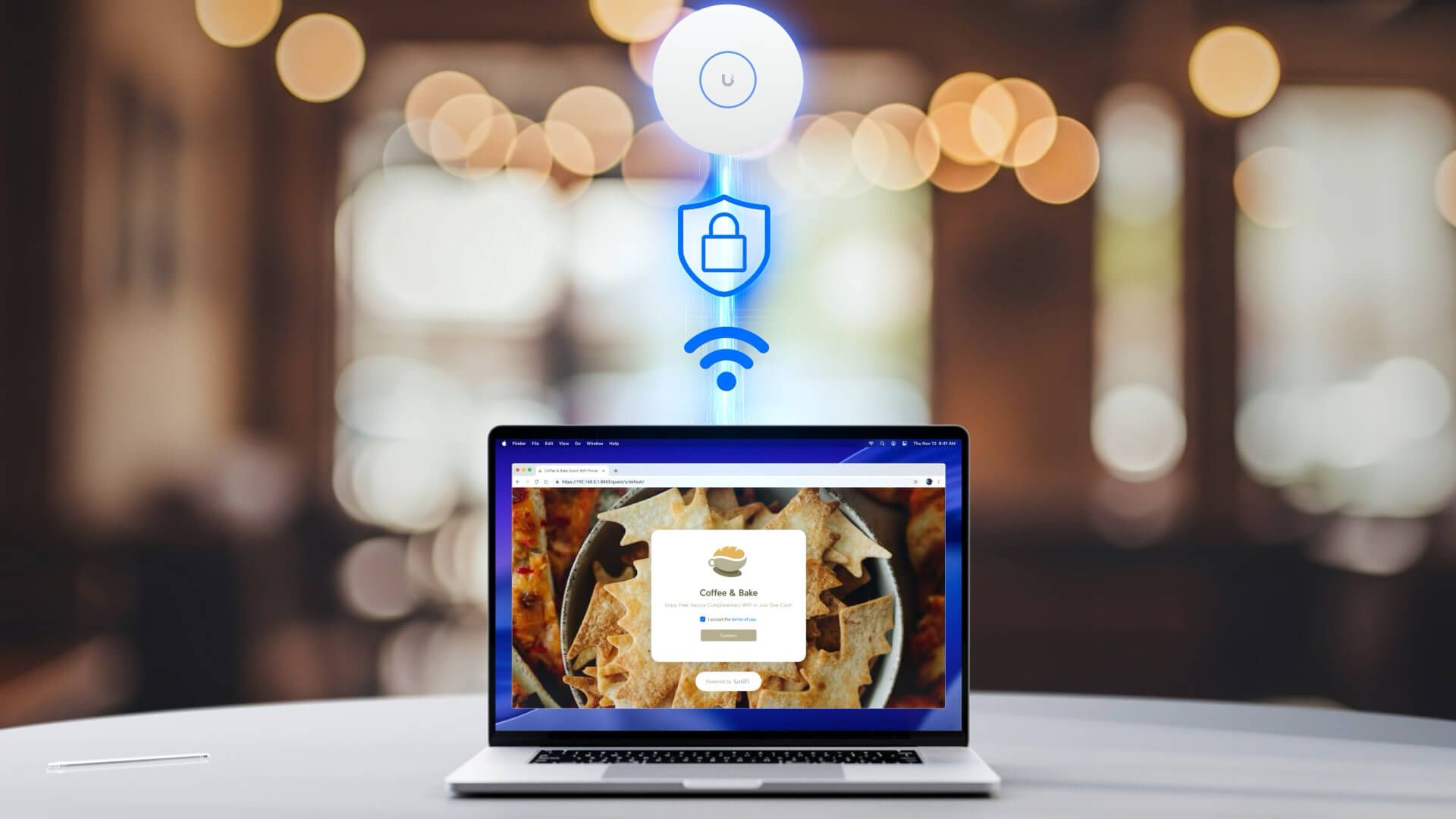
Open WiFi networks have always been a security concern — traffic is unencrypted by default, meaning anyone on the same network can potentially intercept it. Enhanced Open (also known as OWE — Opportunistic Wireless Encryption) changes this by encrypting traffic between each device and the access point without requiring a password.
In 10.2 you now have three options when setting up an open SSID: standard Open (unencrypted, as before), Enhanced Open (all traffic encrypted, OWE-capable devices only), and Enhanced Open with Transition mode (encrypted for devices that support it, falls back to unencrypted for older legacy devices). The transition mode is the practical choice for most guest or public networks where you cannot control what devices are connecting.
This brings open networks up to WPA3-grade security levels without any added friction for users — they connect with no password, the same as before, but their traffic is encrypted end to end on the wireless side.
Device Supervisor — Automatic Power Cycling
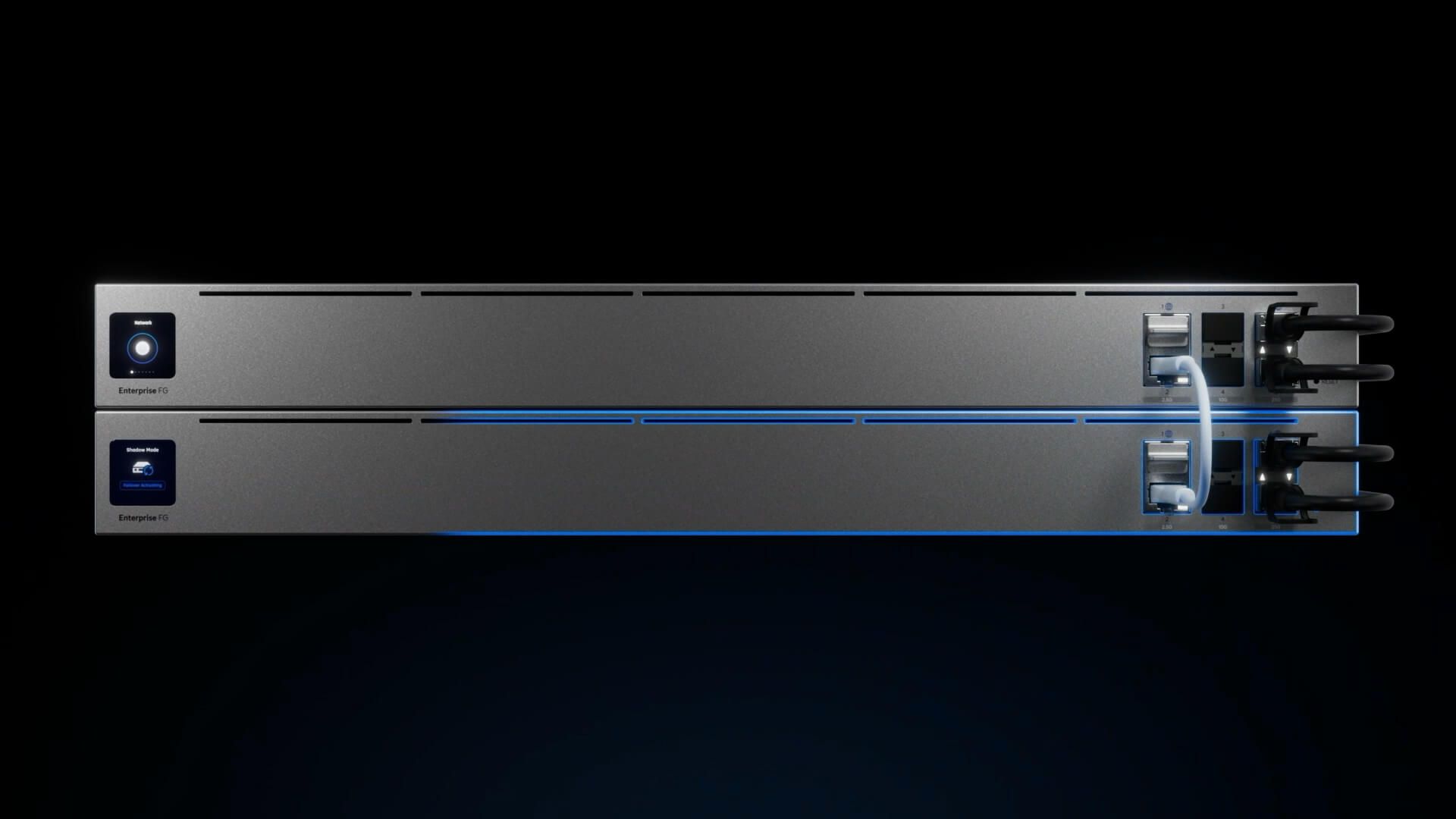
Device Supervisor continuously monitors the heartbeat of connected UniFi devices and automatically power cycles them via PoE switch port or PDU if they become unresponsive for a defined period. You set the heartbeat interval and silence threshold per device, and if a device goes quiet beyond that threshold, Supervisor steps in and resets it without anyone needing to get involved.
You can configure Supervisor to cover all devices at once, or set individual rules per device type. For example, access points might be set to a one-minute heartbeat with a 15-minute silence threshold (aggressive, because WiFi downtime is immediately noticed), while a camera on a more stable run might be set to 5-minute heartbeat and 30-minute threshold.
One frustration worth flagging: PDU integration is not currently available for EU and UK markets, so the automatic power cycling only works via PoE switch ports in those regions. That limits the scope to PoE-powered devices, but for most UniFi deployments that still covers access points, cameras, and access readers — which are exactly the devices most likely to need it.
STP Edge Mode & BPDU Guard
Spanning Tree Protocol controls how switches handle redundant links to prevent network loops — a loop in a switched network will bring everything down very quickly. Two important per-port controls have been added in 10.2.
STP Edge mode optimises client-facing ports for immediate forwarding — rather than going through the normal STP negotiation delay when a device plugs in, the port transitions straight to forwarding. This is the right setting for ports connecting to end devices like PCs, printers, and IP phones. It should not be enabled on ports connecting to other switches, because bypassing STP negotiation on switch-to-switch links can cause loops.
BPDU Guard works alongside this. If a port has Edge mode enabled and a BPDU packet arrives (which it would from another switch), BPDU Guard disables that port immediately to protect the network. The port stays disabled until you manually re-enable it. This is the correct approach for detecting rogue switches or accidental misconnections — it is a hard stop rather than a soft warning.
One-Click Firmware Revert
Firmware updates on network equipment carry a degree of risk — if a new version introduces a bug or a regression, rolling back previously required manual intervention via SSH or physical access to the device. In 10.2, you can now revert firmware directly from the UniFi Network dashboard, for both the network application itself and for individual devices.
From the dashboard you can revert the network application to the previous version with a single click. For individual devices — switches, access points — you go to the device detail page, scroll down to find the revert option, and select the previous firmware version. It also creates a support file automatically as part of the revert process, which is useful if you need to raise a ticket with Ubiquiti support.
This is something that should have been available a long time ago, and it significantly lowers the risk of staying current with firmware updates — which in turn improves security and stability across managed sites.
IPv6 WireGuard VPN
The final addition in 10.2 requires UniFi OS 5.1, and it is one that the community has been asking for: WireGuard VPN servers can now be configured using IPv6 addresses. Where previously WireGuard on UniFi was limited to IPv4, you can now select an IPv6 address when creating a WireGuard server.
This matters more as ISPs increasingly assign IPv6 natively, and for organisations that have already moved to IPv6-first or dual-stack networking. It removes a restriction that was forcing workarounds for what should have been a straightforward configuration.
Summary — What Matters Most in 10.2
Running UniFi in your business?
InsideWire manages UniFi infrastructure for businesses across the UK — handling updates, monitoring, and support so you do not have to think about it.